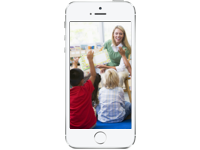
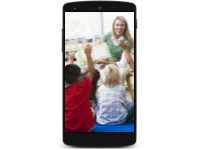
Show parents what their little ones are up to. Snap a photo, post it, done. Parents love it.
Download Homeroom Free
Preschool and kindergarten parents want to see what their kids are doing all day — the art projects, the playground adventures, the silly faces at snack time. Homeroom makes it easy to share those moments privately, without social media or complicated setup. Works great for preschool, pre-K, 4K, and 5K programs.

Drop-off can be hard for little ones and their parents. When parents can see photos of their child finger-painting, playing outside, and making friends, it makes their day. Teachers control who can post — parents can view and comment, or you can keep it view-only. Built by a small, independent company that takes student privacy seriously.

Collect photos all year long, then turn them into a beautiful printed photo book for each family. A keepsake of their child's first years of school that parents will treasure forever. It's the perfect end-of-year gift — and since you've been posting photos all along, most of the work is already done.
Name it after your class — parents will know right where to look.
Art time, recess, circle time — post whenever something cute happens.
They get a notification and see the photo instantly.
Turn the year's photos into a printed keepsake for families.
I just really love and enjoy this little app. Makes a big difference for those working and busy parents to see what's going on inside the classroom. We get to share very educational and memorable moments with our families. Very pleased!
Remote teaching has been a better experience because of this site! Students post their assignments, art inspirations, incidental learning, outdoor fun, and resources for one another. Thank you!!
Finally a completely easy to use photo sharing app that lets you write about the pictures too. I've tried a bunch, this is the best and easiest. My families love it!
Only people you invite can see your photos and videos. Nothing is public, ever.
Homeroom is built and maintained by a small, independent company that puts your privacy first.
No algorithms, no ads, no strangers. Just the people you choose to share with.
Turn your group's photos into a gorgeous printed photo book. Learn more →
Homeroom is free to get started — up to 10 groups with 1,000 photos each. To unlock larger groups and more features, subscribe via the App Store or Google Play.
Read more →No. Everything you post is completely private. Only people who have been invited to a group can see its contents. Nothing is ever public.
Read more →Your photos are stored securely and are only accessible to members of the group they were posted to. We never share your photos with third parties.
Read more →Open the group, tap the invite button, and share the private link via text, email, or any messaging app. Only people with the link can request to join.
Read more →Open the group settings and adjust who can post, comment, and invite new members. Admins have full control over group permissions.
Read more →Yes. In the group settings, you can restrict commenting so that only admins can post comments. This is useful for classroom albums where you want parents to view only.
Read more →Free for teachers. Free for parents. Perfect for preschool and kindergarten.
Download Homeroom Free See all use cases →